
The way we work has changed forever. What started as a temporary shift has become a permanent reality for millions of people worldwide. Your home is no longer just where you relax. It’s where you create, produce, and achieve your biggest professional wins.
But here’s the challenge. Not everyone has a spare room waiting to become the perfect home office. Some of us work from kitchen tables. Others carve out corner spaces in bedrooms. A few lucky ones have dedicated offices that still need the right touch.
The good news? You don’t need a massive budget or a huge space to create a workspace that actually works for you. What you need is inspiration and the right approach.
This collection showcases nineteen real work from home setups that prove productive workspaces come in all shapes and sizes. From minimalist desks that cost less than a week of coffee runs to tech-heavy command centers worthy of a design magazine, you’ll find ideas that match your style, space, and budget.
Each setup tells a story. Some prioritize natural light and plants. Others focus on ergonomic comfort for those long video call days. A few embrace bold colors and creative energy. All of them work.
Whether you’re setting up your first home office or redesigning an existing space, these examples will show you what’s possible. Let’s dive in and find the setup that speaks to you.
1. The Catalog-Perfect Home Office That’s Actually Real
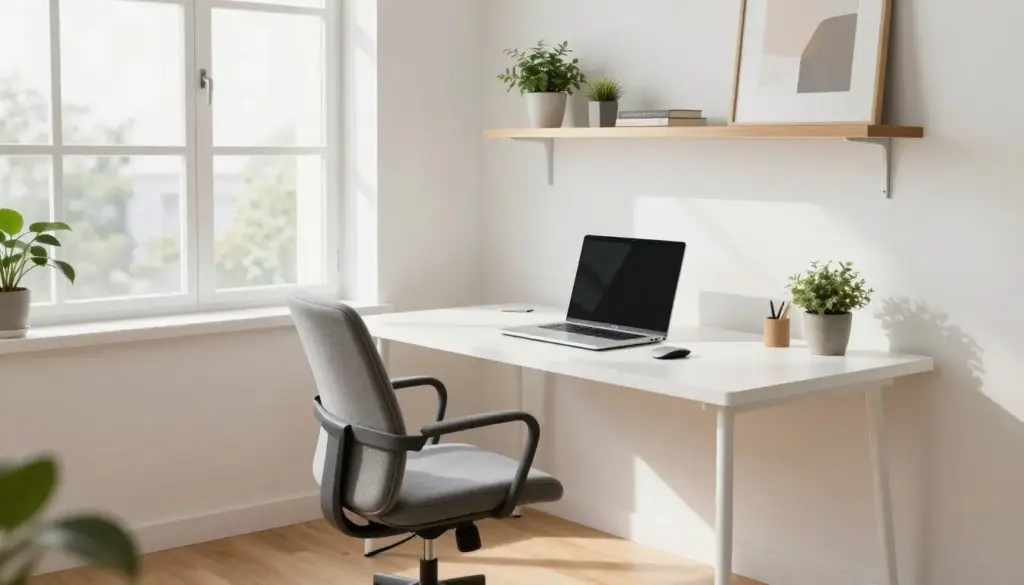
This workspace looks like it was pulled straight from an interior design catalog, but it’s a real, functional home office setup. The secret lies in the careful balance of form and function.
The foundation starts with a clean white desk that doesn’t overpower the room. Natural light floods in from a nearby window, reducing the need for artificial lighting during the day. Wooden floating shelves add warmth and storage without cluttering the walls.
The office chair combines ergonomic support with aesthetic appeal. A neutral gray fabric complements the color scheme while providing the comfort needed for eight-hour work days. The desk surface remains minimal with just a laptop, wireless keyboard, and a small plant.
What makes this setup work is the attention to detail. Every item serves a purpose. The wireless mouse eliminates cable clutter. The keyboard sits at the perfect height. Small touches like the abstract wall art and carefully chosen plants add personality without distraction.
This approach proves you don’t need expensive designer furniture to create a magazine-worthy space. Strategic choices in layout, lighting, and minimal accessories deliver maximum impact. The result feels professional, inspiring, and entirely achievable for most budgets.
2. The Creative’s Dream: Art Studio Meets Home Office
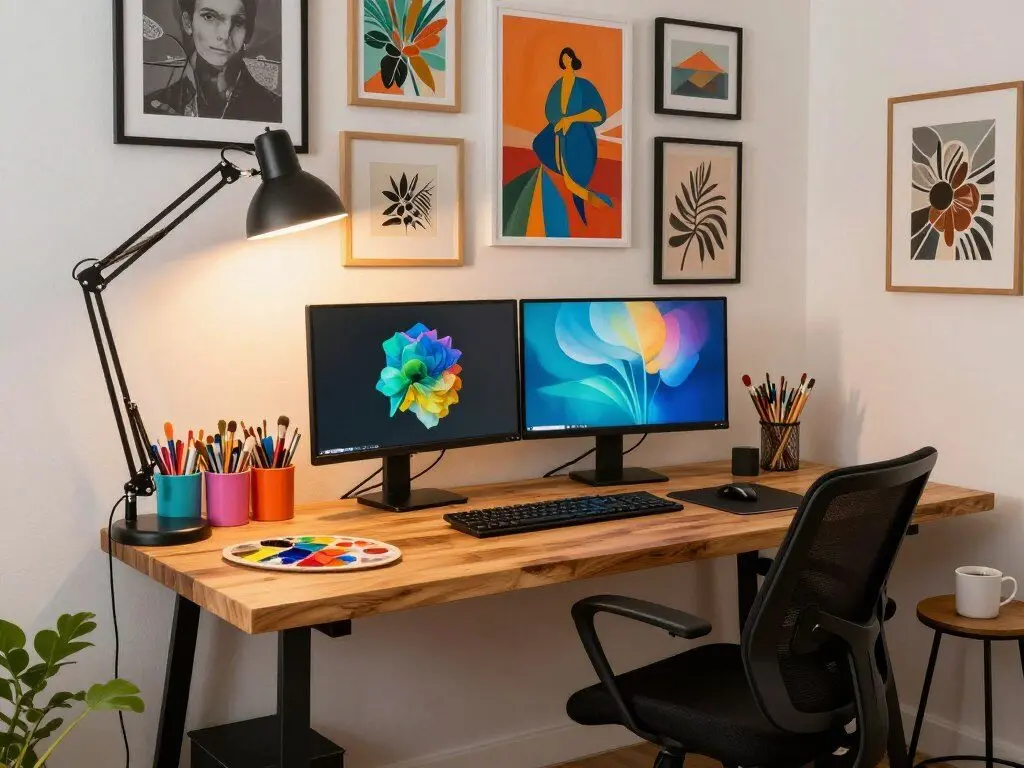
For creative professionals, the home office needs to do double duty. This setup brilliantly combines digital workspace with artistic studio in one cohesive design.
The desk spans enough space to accommodate both a dual monitor setup and a dedicated area for traditional art supplies. Organization is key here. Colorful containers keep brushes, pencils, and tools within reach but off the main work surface.
Dual monitors expand the digital workspace significantly. One screen displays reference images while the other shows the active project. This configuration works equally well for designers, writers, and anyone who needs multiple windows open simultaneously.
The lighting deserves special attention. An adjustable desk lamp provides focused task lighting for detail work. Natural light from the window offers true color representation for art projects. Together, they create ideal conditions for both computer work and creative pursuits.
One wall transforms into a gallery of inspirational artwork. This isn’t just decoration. It’s a mood board that sparks creativity during those inevitable creative blocks. The mix of personal work and inspirational pieces creates an environment that feels uniquely personal.
Storage solutions hide the less attractive necessities. Cables run through desk management systems. Supplies tuck into drawers when not in use. The result feels creative and energizing without descending into chaos.
3. The Tech Enthusiast’s Zero Gravity Command Center
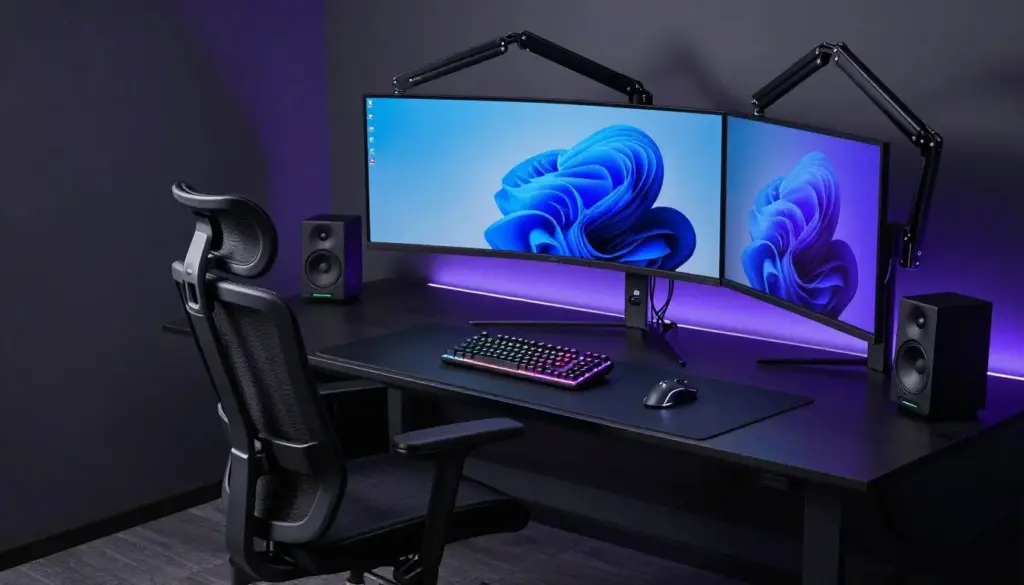
This setup pushes the boundaries of ergonomic comfort and technological integration. At its heart sits a zero gravity office chair that reclines to reduce pressure on the spine during long work sessions.
The monitor configuration deserves its own discussion. Three screens create an immersive curved viewing experience. The center monitor handles primary tasks while side screens manage communication tools, reference materials, or monitoring systems. Adjustable monitor arms allow fine-tuning of height and angle for perfect viewing alignment.
A mechanical keyboard provides tactile feedback that many users prefer for typing-heavy work. The satisfying click of each keystroke might not suit shared spaces, but for a dedicated home office, it enhances the typing experience significantly.
The wireless mouse glides across an extended mousepad that covers most of the desk surface. This setup works particularly well for design work, video editing, or gaming during off hours. Precision and comfort combine in equal measure.
RGB lighting adds ambiance without serving purely aesthetic purposes. Many users find that adjustable lighting helps reduce eye strain during evening work sessions. The ability to change colors based on mood or time of day adds a personalization element.
Computer speakers flank the monitor setup, providing quality audio for video calls, presentations, or background music. The sound quality surpasses typical laptop speakers by a significant margin.
Cable management solutions keep the technology from becoming overwhelming. Cables route through desk grommets and tie downs. The result looks clean despite the complexity of the equipment involved.
This setup represents a significant investment, but for professionals who spend ten or more hours daily at their desk, the ergonomic benefits and productivity gains justify the cost.
4. The Architect’s Precision: Form Follows Function
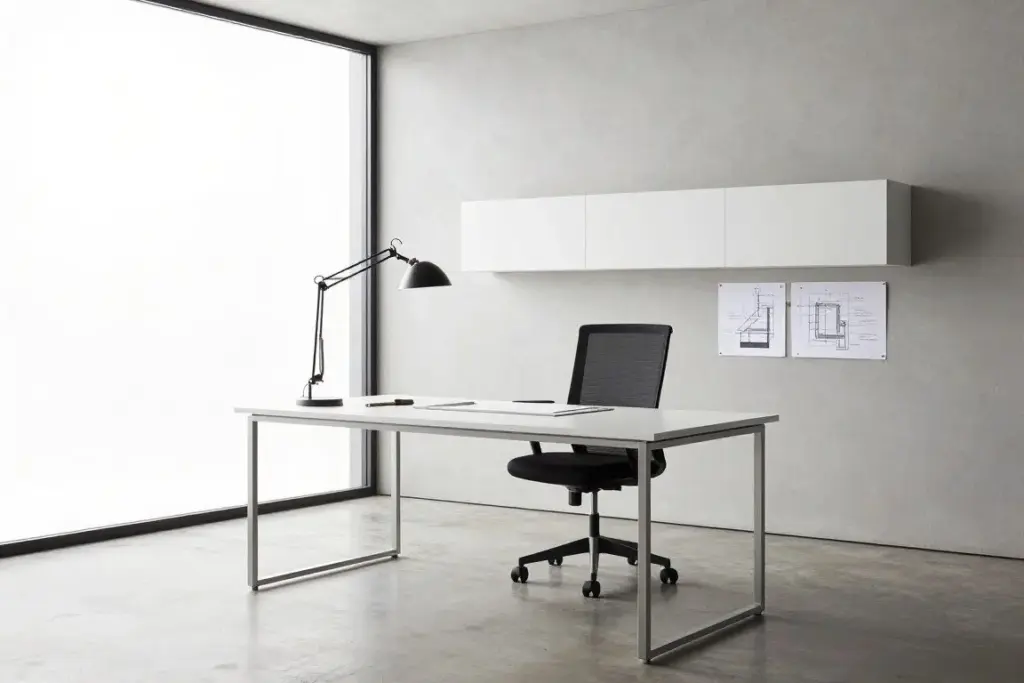
An architect’s approach to workspace design emphasizes clean lines, intentional choices, and zero wasted space. This setup embodies those principles perfectly.
The desk itself features a minimalist design with metal legs and a pristine white surface. Every measurement serves a purpose. The height accommodates comfortable typing posture. The depth provides adequate workspace without dominating the room. The width fits a laptop, notebook, and essential tools with room to spare.
Professional-grade task lighting comes from an adjustable architect lamp. Unlike decorative lighting, this fixture delivers focused illumination exactly where needed. The articulating arm allows repositioning throughout the day as natural light changes.
Floating storage solutions maximize vertical space while maintaining the clean aesthetic. Shelves hold reference books and supplies without requiring floor space. The floating design creates visual lightness that makes the room feel larger.
The window placement provides natural light without creating screen glare. This careful orientation reduces eye strain and decreases reliance on artificial lighting during daytime hours. The view offers a mental break during intense focus sessions.
Materials selection shows restraint and purpose. The concrete or light gray walls create a neutral backdrop that won’t distract. The polished floor reflects light upward, brightening the entire space. Every surface serves the goal of creating an environment conducive to focused work.
Architectural drawings on the wall serve dual purposes. They inspire creative thinking while demonstrating the precision and planning that went into the space itself. Even the decoration serves the work.
5. The Natural Light Champion: Windows as Design Elements
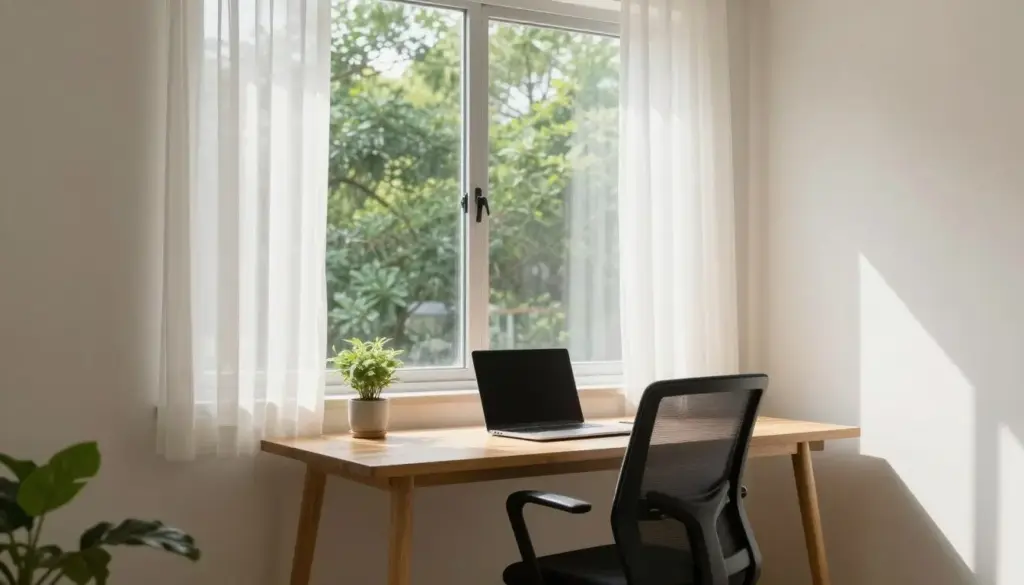
Some setups prioritize technology. Others focus on ergonomics. This one makes natural light the star of the show, and everything else supports that decision.
The desk sits directly in front of expansive windows that flood the space with daylight. This positioning might seem counterintuitive for screen work, but sheer curtains diffuse the light beautifully, eliminating harsh glare while maintaining brightness.
Working with natural light offers benefits beyond aesthetics. Studies consistently show that exposure to natural light during work hours improves mood, energy levels, and sleep quality. The connection to the outdoors, even through a window, reduces stress and enhances focus.
The desk itself remains simple and unobtrusive. A wooden surface provides warmth without competing with the view. The office chair features a breathable mesh back that maintains comfort during long sitting sessions without blocking the window when viewed from other angles.
Plants on the windowsill bring the outside in even further. These small touches of greenery thrive in the abundant light while adding life to the workspace. They also improve air quality, a benefit that matters in spaces where you spend eight or more hours daily.
The color palette supports the natural light focus. Light colored walls reflect and amplify the daylight, making the room feel even brighter and more spacious. Darker colors would absorb light and diminish the primary feature of this setup.
For anyone fortunate enough to have access to good windows in their home, this approach shows how to make them the foundation of an inspiring workspace.
Essential Ergonomic Upgrades for Maximum Comfort
After exploring these first five setups, you’ve seen how the right furniture transforms a workspace. These essential ergonomic pieces form the foundation of any productive home office, regardless of your style preferences or space constraints.
6. The Budget-Friendly Ikea Haven
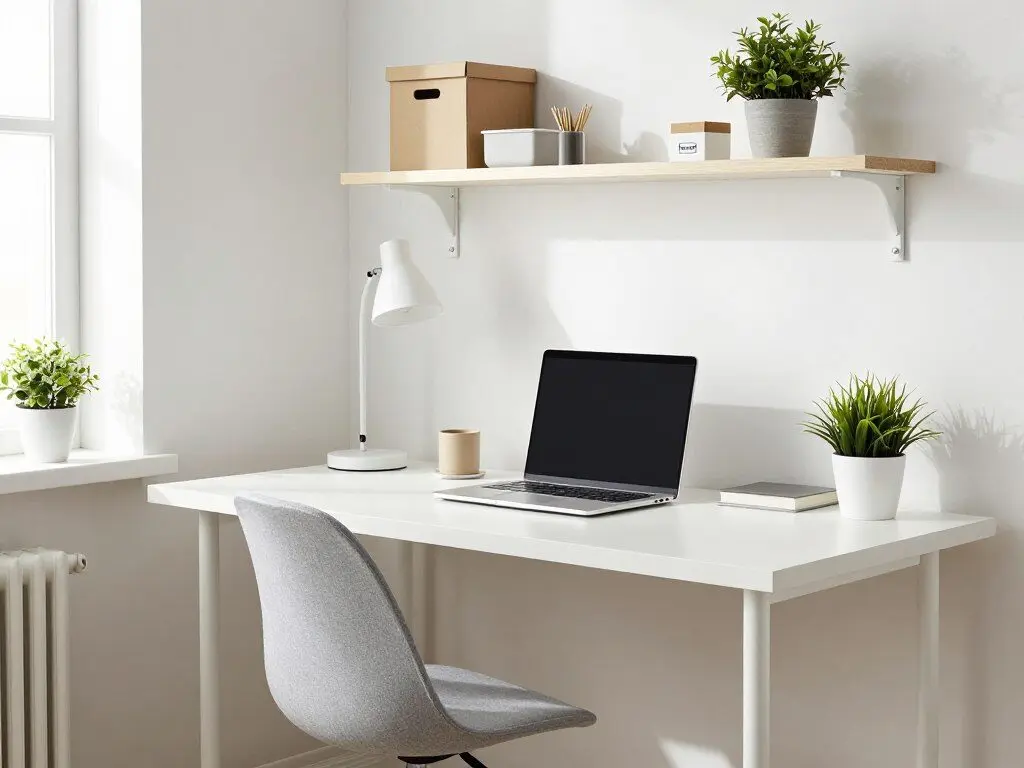
You don’t need a designer budget to create a functional and attractive workspace. This setup proves that thoughtful selection from affordable sources delivers impressive results.
The desk comes from Ikea’s range of simple, functional designs. Clean lines and a white finish create a modern look that fits virtually any decor style. The straightforward design means easy assembly and no wasted money on unnecessary features.
Floating shelves maximize vertical storage without the bulk of traditional bookcases. This approach works particularly well in smaller spaces where every square foot matters. The shelves hold storage boxes that hide clutter while maintaining the clean aesthetic.
The office chair provides adequate support for daily work without premium pricing. While it might not offer every adjustment available in high-end models, it covers the essentials: adjustable height, basic lumbar support, and comfortable padding.
A simple desk lamp provides task lighting when natural light fades. The affordable price point doesn’t compromise function. The lamp focuses light where needed and adjusts easily throughout the day.
Color coordination creates cohesion despite the budget-friendly sources. The white and light wood palette runs throughout the space, from desk to shelves to accessories. This consistency elevates the overall appearance significantly.
Organization systems make the difference between budget and cheap. Storage boxes on shelves hide necessary items. Cable management keeps cords under control. A wireless keyboard and mouse eliminate visual clutter. These small investments in organization multiply the impact of the larger furniture pieces.
This approach demonstrates that budget constraints don’t have to limit your options. Smart choices and good organization create a workspace that looks and functions far above its actual cost.
7. The Pure Minimalist: Less is Genuinely More
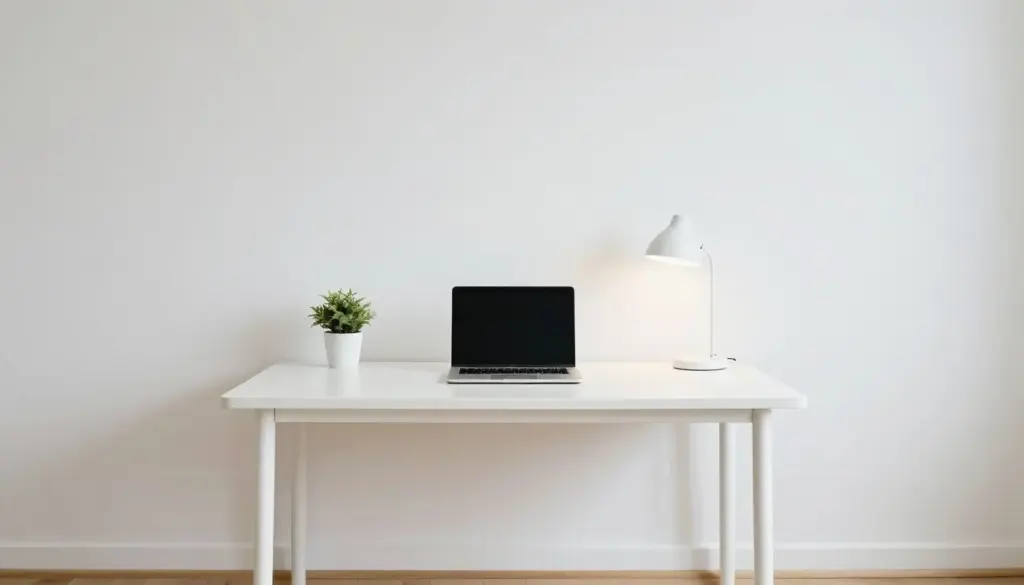
Minimalism in workspace design isn’t about deprivation. It’s about removing everything that doesn’t serve a clear purpose, leaving only what matters most.
This setup reduces the home office to its absolute essentials. A simple white desk provides a work surface. One laptop handles all computing needs. A single plant adds life. One lamp supplements natural light. Nothing else competes for attention.
The clean desk surface serves as more than aesthetics. Research on cognitive load suggests that visual clutter consumes mental energy, even when we’re not consciously aware of it. By eliminating distractions, this setup frees mental resources for actual work.
The minimal approach requires discipline beyond the initial setup. Maintaining this level of simplicity means dealing with papers immediately, storing supplies out of sight, and resisting the accumulation of items over time. The payoff comes in sustained focus and reduced decision fatigue.
The single plant serves an important role despite the minimalist philosophy. It brings nature indoors, improves air quality, and provides a living element that prevents the space from feeling sterile. One well-chosen plant achieves these goals without creating clutter.
Natural light dominates the lighting strategy, with the single desk lamp serving only when necessary. This reduces energy consumption while maintaining the clean aesthetic. The lamp itself features minimal design that disappears when not in use.
The white color palette maximizes light reflection and creates visual calm. The wooden floor adds warmth that prevents the white from feeling clinical. This careful balance makes minimalism feel inviting rather than austere.
For people who struggle with distraction or feel overwhelmed by stuff, this approach offers a proven solution. By removing options and simplifying the environment, focus becomes easier and stress decreases.
8. The DIY Living Room Integration
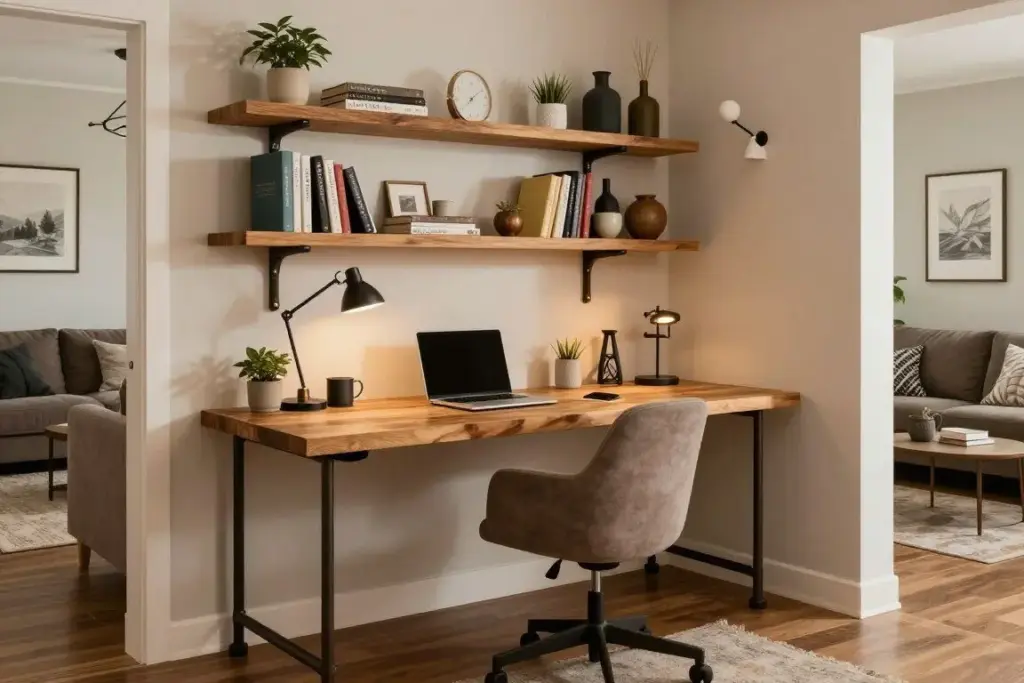
Not everyone has the luxury of a dedicated office room. This setup shows how to carve out productive workspace within a shared living area using DIY solutions.
The custom-built desk fits perfectly into an unused corner of the living room. Industrial pipe legs support a wooden desktop, creating a sturdy work surface with character. This DIY approach allows customization of exact dimensions to fit the available space.
Handmade floating shelves above the desk provide storage and display space without requiring floor area. The DIY construction means these shelves fit the exact width of the desk and match the overall aesthetic perfectly. Store-bought options rarely offer this level of customization.
The key to successful living room office integration lies in visual harmony. The desk and shelves use materials and colors that complement existing living room furniture. The office chair matches the living room color scheme. The result feels intentional rather than like furniture from two different rooms forced together.
Cable management becomes especially important in dual-purpose spaces. Visible cords running across living areas look messy and create tripping hazards. This setup routes cables behind the desk and uses cable covers where necessary. When the work day ends, the space looks like living room, not office.
Personal touches blur the line between work and living space in a positive way. Decorative items on the shelves serve both rooms. A desk lamp provides task lighting for work but adds ambient lighting for evening living room use. Dual functionality maximizes the value of every item.
This approach proves that space limitations don’t have to limit productivity. With creativity and effort, almost any room can accommodate a functional workspace.
9. The Zen Master: Peace Through Workspace Design
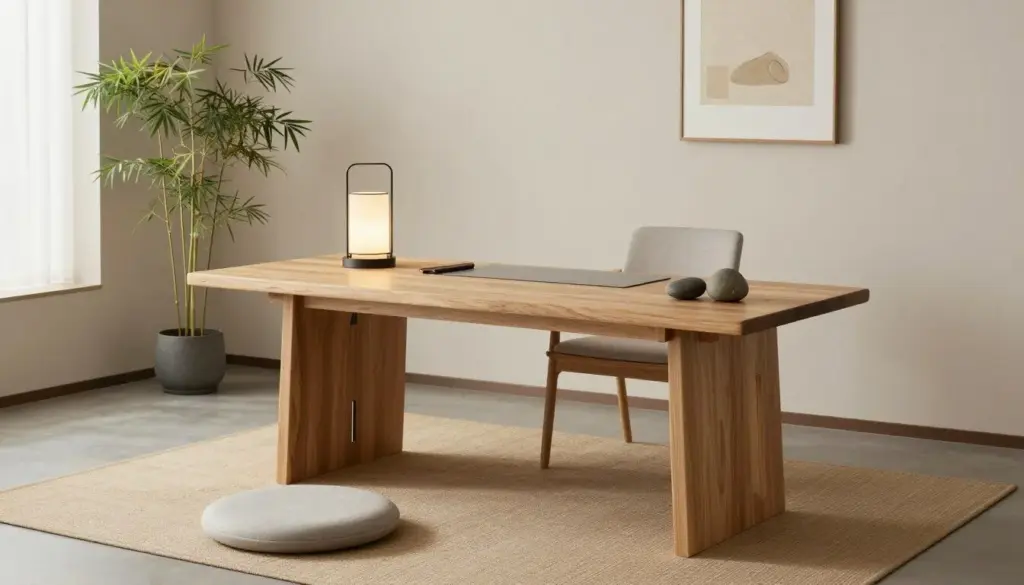
This workspace treats the home office as a place for mental clarity as much as professional productivity. Zen design principles guide every choice.
The natural wood desk brings organic warmth and connects the space to nature. Unlike painted or laminated surfaces, the wood grain provides visual interest without busy patterns. The texture feels pleasant to touch, adding a tactile dimension to the sensory experience.
A meditation cushion near the workspace acknowledges the need for mental breaks. Rather than scrolling phones during rest periods, this setup invites brief meditation sessions that actually restore energy. The proximity makes it easy to take advantage during the work day.
Plant selection follows zen principles of simplicity and meaning. A single bamboo plant symbolizes strength and flexibility while requiring minimal care. The green presence brings life to the space without demanding attention or creating maintenance burden.
Neutral earth tones dominate the color palette. Beige and soft gray create calm without sterility. These colors recede visually, allowing the mind to rest rather than processing stimulating hues. The psychology of color suggests these tones reduce stress and support concentration.
Smooth river stones serve as desk accessories, doubling as paperweights and tactile objects for brief mindfulness moments. Their natural forms and cool surfaces provide sensory grounding during stressful work periods.
Lighting emphasizes warmth and adjustability. The desk lamp provides focused task lighting with a warm color temperature that feels more natural than cool white LEDs. Natural light supplements artificial sources whenever possible.
The minimal approach to artwork prevents visual overstimulation. One or two carefully chosen pieces in simple frames add personality without creating clutter. In zen design, empty space holds as much importance as filled space.
This setup works particularly well for people in high-stress professions or those who struggle with anxiety. The environment actively supports mental well-being alongside professional requirements.
10. The Panoramic Vision: Ultra-Wide Monitor Paradise
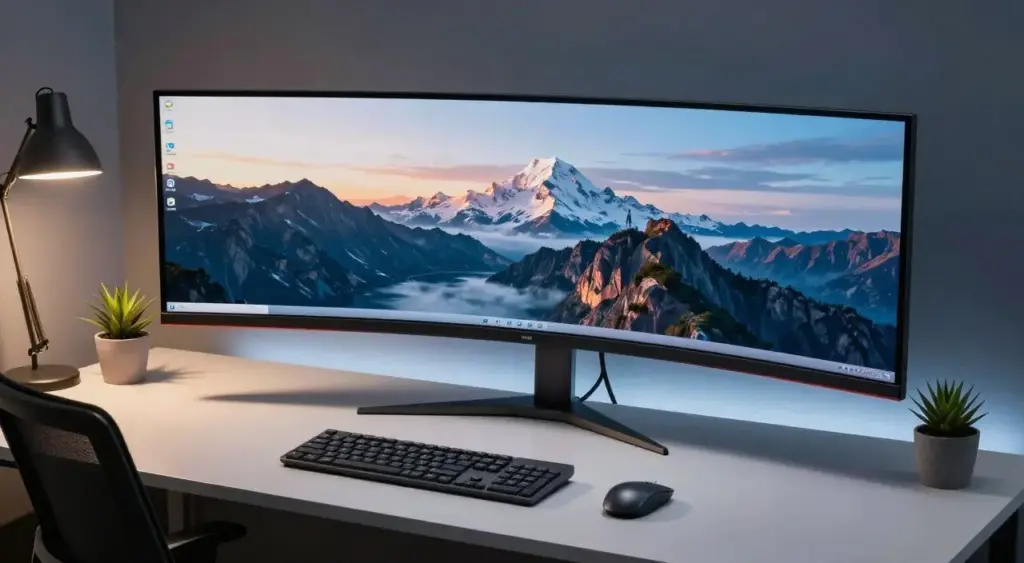
For professionals who need maximum screen real estate, the ultra-wide monitor setup changes everything about how you work. This configuration prioritizes visual workspace above all else.
The panoramic curved monitor provides screen space equivalent to two or three standard monitors without the bezels interrupting the view. The curvature wraps around your field of vision, creating an immersive experience that feels natural once you adjust to it.
A single ultra-wide monitor simplifies cable management compared to multi-monitor setups. One power cable, one video cable, and you’re done. The clean result looks professional and eliminates the tangle of wires that plague many multi-screen configurations.
The curved design serves ergonomic purposes beyond aesthetics. By matching the natural curve of human vision, it maintains consistent viewing distance across the entire screen. Your eyes don’t have to refocus as dramatically when looking from one edge to the other.
Screen real estate transforms workflows for many professions. Video editors view timelines alongside preview windows. Developers see code on one side and running applications on the other. Writers display research materials next to their documents. Traders monitor multiple market feeds simultaneously. The applications span virtually every profession.
A wireless keyboard and mouse maintain the clean aesthetic. Positioned ergonomically in front of the screen, they allow comfortable reaching distance while keeping the desk surface clear. The absence of cables contributes to the streamlined appearance.
Desk accessories remain minimal to avoid distracting from the main event. A small plant adds life. A desk lamp provides supplemental lighting. Everything else stays off the surface or gets stored out of sight.
This setup represents a significant investment. Quality ultra-wide monitors command premium prices. However, for professionals whose work depends on screen space, the productivity gains and reduced eye strain justify the cost.
Transform Your Workspace with Professional Equipment
You’ve now seen ten distinct approaches to home office design, from minimalist zen spaces to tech-heavy command centers. Whether you’re drawn to natural light, panoramic screens, or budget-friendly solutions, the right equipment makes all the difference. Here are the essential categories to consider as you build or upgrade your workspace.
11. The Digital Nomad: Portable Standing Desk Revolution
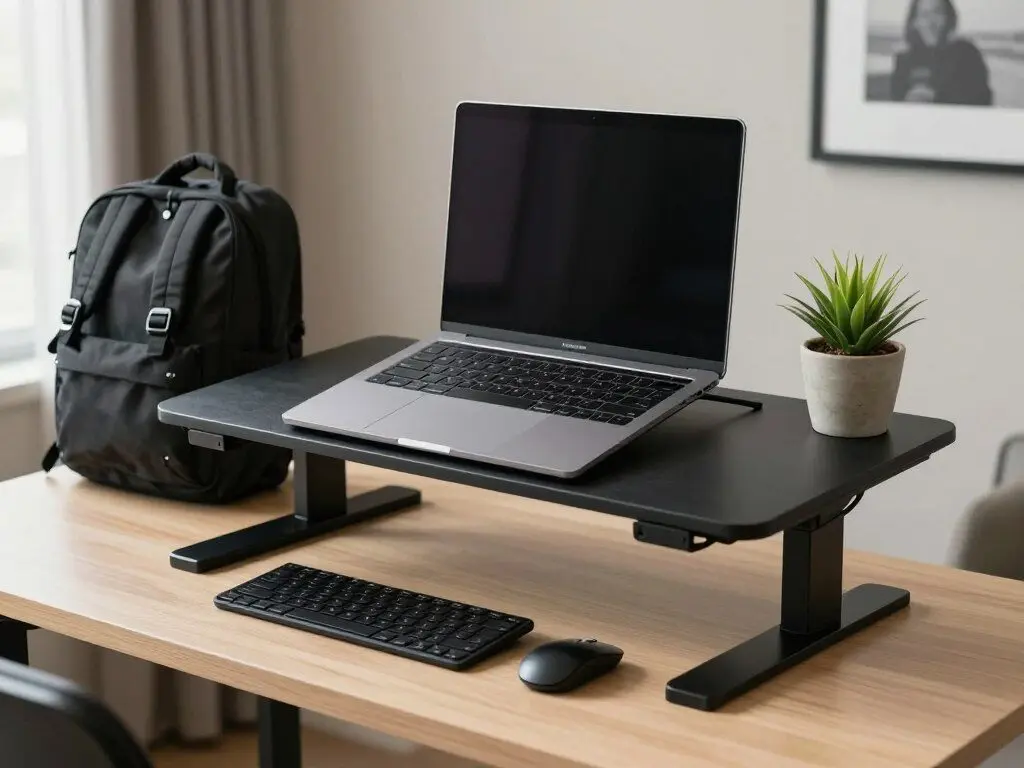
The future of work isn’t just remote. For many professionals, it’s mobile. This setup shows how to maintain ergonomic standards and productivity while traveling or moving between locations.
The portable standing desk converter sits on top of any table, instantly creating an adjustable workspace. Unlike fixed standing desks, this solution fits in a suitcase or large backpack. When you move to a new location, your ergonomic workspace moves with you.
Height adjustment allows switching between sitting and standing throughout the day, even in temporary spaces. The mechanism typically uses a simple lever or spring system that requires no tools. Set up takes less than a minute, making it practical for daily use.
The laptop elevates to proper eye level, preventing the neck strain common when working directly on a laptop. A separate wireless keyboard and mouse rest on the lower tier, positioning hands at the correct height for typing. This separation of screen and input devices replicates the ergonomic benefits of a traditional desk setup.
Minimalism becomes necessity rather than choice for mobile workers. Every item needs to justify its space in your luggage. A wireless mouse eliminates cord tangles in transit. A compact wireless keyboard takes up minimal space. A small plant that tolerates travel conditions adds life without requiring a moving van.
The background of this setup intentionally shows a generic rental or hotel environment. This emphasizes the versatility of the approach. Whether working from an Airbnb in Bali or a hotel in Boston, the workspace remains consistent and comfortable.
For digital nomads, remote workers who travel frequently, or anyone who splits time between multiple locations, this approach solves the challenge of maintaining productivity and health across different environments. The initial investment in portable equipment pays dividends in comfort and consistency.
12. The Small Space Color Pop
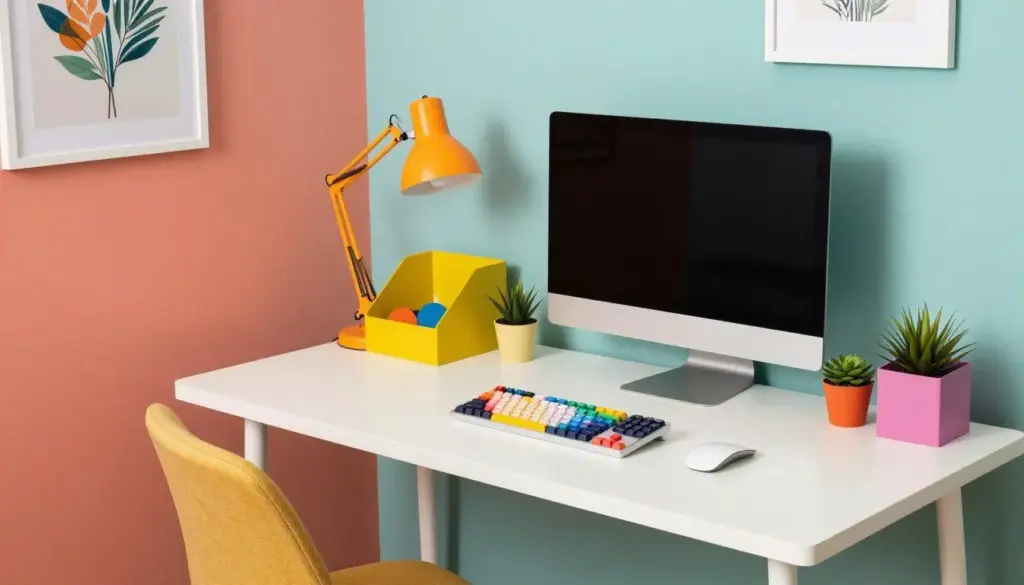
Limited square footage doesn’t mean limited personality. This setup proves that small spaces can pack visual punch while maintaining full functionality.
A colorful accent wall behind the desk creates impact without requiring floor space. The bold color choice, whether coral, teal, or another vibrant hue, energizes the entire area. Paint costs little compared to furniture, making this an affordable way to transform a space.
The compact white desk maximizes work surface while maintaining a small footprint. White reflects light, making the small space feel less cramped. The simple design prevents the desk from overwhelming the room visually.
Color pops throughout the accessories. Bright organizers on the desk add function and personality simultaneously. A fun desk lamp provides necessary task lighting while contributing to the cheerful aesthetic. Colorful keycaps on the wireless keyboard add a custom touch that makes the space feel unique.
Small succulent plants in colorful pots bring nature indoors without requiring much space or maintenance. Succulents tolerate neglect better than many houseplants, perfect for busy professionals who might forget to water regularly.
The office chair makes a bold statement despite limited size. Choosing a chair in a bright color transforms it from purely functional furniture into a design element. This approach works particularly well in small spaces where each item receives visual attention.
Inspirational art prints on the walls add personality without permanent commitment. Unlike paint or wallpaper, prints swap out easily when your taste evolves. The small format works well in compact spaces without overwhelming the room.
Efficient organization becomes critical in small home office setups. Vertical storage, wall-mounted organizers, and multi-functional items maximize utility of every square inch. The colorful approach proves that practical doesn’t have to mean boring.
This setup works beautifully for people in apartments, shared housing, or homes where dedicating an entire room to office space isn’t possible. The energetic atmosphere combats the potential gloom of working in a small space.
13. The Cozy Comfort Zone
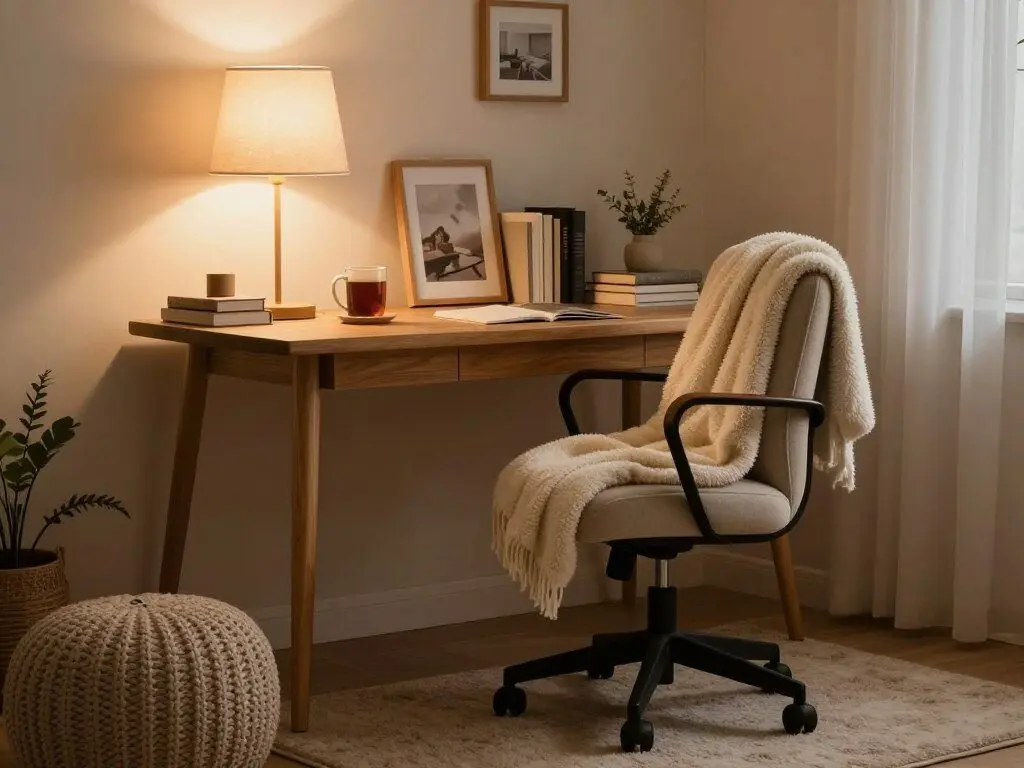
Some people work best in clinical efficiency. Others need warmth and comfort to feel at home in their workspace. This setup embraces the cozy end of the spectrum.
The wooden desk brings natural warmth and a connection to traditional craftsmanship. Unlike modern materials, wood develops character over time. Small scratches and patina tell the story of work accomplished, creating a lived-in quality that some find comforting.
The office chair prioritizes comfort without sacrificing support. A soft throw blanket draped over the back adds visual warmth and serves a practical purpose during cold mornings. The ability to wrap up while working appeals to anyone who battles office temperature preferences.
Warm lighting creates an intimate atmosphere quite different from the bright task lighting in many setups. A desk lamp with a fabric shade diffuses light softly, reducing harsh shadows. This approach feels more like a reading nook than a corporate office, which suits some working styles perfectly.
A soft area rug under the desk adds both comfort and sound dampening. Feet rest on pleasant texture rather than cold hard floor. The rug also helps define the office zone in rooms that serve multiple purposes.
Personal touches make this space feel like home. Framed photos remind you why you work. Stacked books suggest interests beyond professional obligations. A mug of coffee or tea steams gently on the desk, part of the ritual that signals the start of the work day.
The warm color palette in cream and soft brown tones creates visual comfort. These shades feel welcoming rather than stimulating, suitable for work that requires sustained focus rather than bursts of creative energy.
A knit pouf provides a place to rest feet, improving circulation during long sitting sessions. It also serves as emergency seating when someone needs to discuss something in person, adding functionality to the comfort focus.
This approach works particularly well for people who work from home full-time and want their office to feel like a sanctuary rather than a workplace. The cozy atmosphere reduces stress and makes spending long hours at the desk more pleasant.
14. The Bold and Moody Statement Office
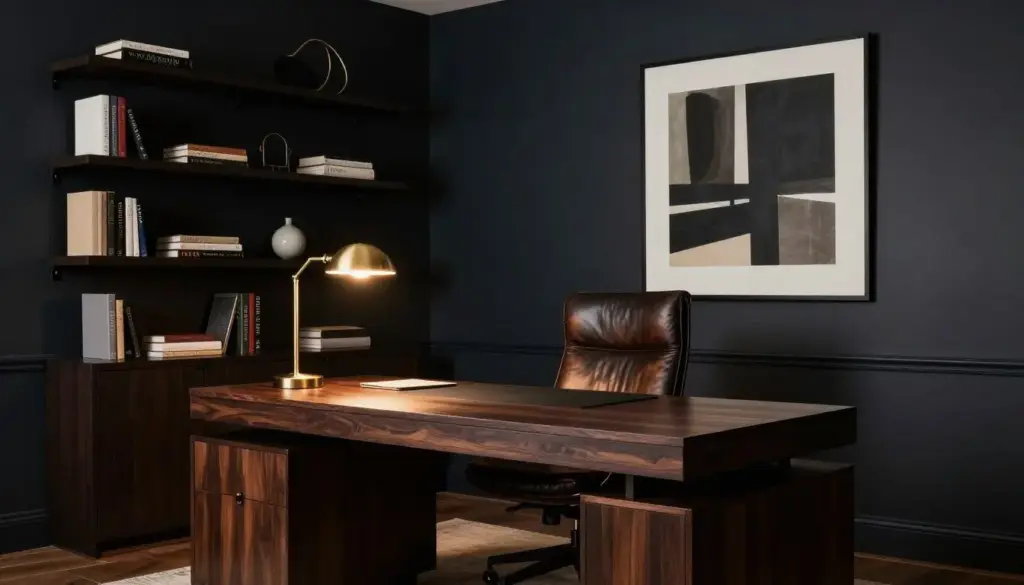
Not every home office needs to be bright and airy. This bold approach embraces dark colors and dramatic contrasts to create a sophisticated atmosphere.
Dark walls in navy or charcoal create immediate impact. While conventional wisdom suggests light colors for small spaces, dark walls can actually make a room feel more intimate and focused. The bold choice signals confidence and intentionality.
The substantial wooden desk with dark finish matches the wall color while providing necessary contrast through texture and form. The weight and presence of the desk anchor the room and suggest serious work happens here.
A leather office chair adds luxury and ages beautifully. Rich brown or black leather develops patina over time, becoming more attractive with use rather than showing wear. The investment in quality pays dividends in both comfort and longevity.
Dramatic lighting becomes essential in dark spaces. A statement pendant light or brass-accented desk lamp provides both illumination and visual interest. The interplay of light and shadow creates depth that flat-lit spaces lack.
Dark shelving disappears against dark walls, creating a floating effect for the books and objects displayed. This careful curation means every visible item receives attention. The selectivity prevents clutter and maintains the sophisticated atmosphere.
Bold modern artwork pops against dark backgrounds. Colors that might overwhelm in a bright white room find perfect balance against deep wall colors. The contrast creates visual drama without requiring expensive or oversized pieces.
Warm task lighting from the desk lamp creates a pool of focused light for work while leaving the rest of the room in subtle shadow. This variation in lighting levels adds interest and helps the eyes focus on the task at hand.
This setup suits creative professionals, executives, or anyone who wants their home office to make a strong impression. The bold choices create an environment that feels distinctly adult and intentional.
15. The Urban Jungle: Plants as Co-Workers
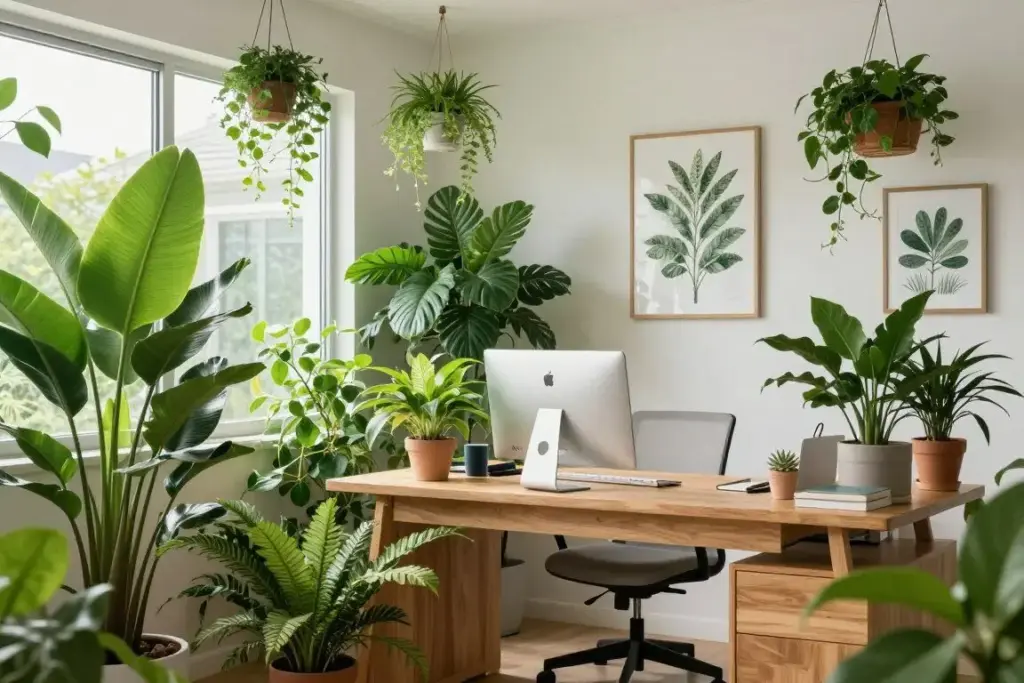
For plant enthusiasts, the home office offers the perfect opportunity to surround yourself with greenery. This setup makes plants an integral part of the workspace rather than an afterthought.
Multiple plants of varying sizes create visual interest and improve air quality significantly. A large floor plant anchors one corner, making a bold statement. Smaller desk plants add greenery at eye level. Hanging plants or wall-mounted planters utilize vertical space efficiently.
Natural wood furniture complements the plant-focused design. The organic material harmonizes with the living elements rather than competing for attention. Wood also ages gracefully and tolerates the occasional water spill better than many alternatives.
Large windows provide the natural light that plants require to thrive. The positioning of the desk considers both human and plant needs, finding the sweet spot where both receive adequate sunlight without creating screen glare or plant scorching.
Botanical prints on the walls extend the garden theme without requiring watering or care. These artistic elements add personality while maintaining thematic consistency. The prints also fill wall space that plants can’t practically occupy.
Green emerges as the dominant accent color, appearing in desk accessories, chair upholstery, or decorative elements. This color choice reinforces the nature theme and creates visual harmony with the living plants.
The care routine for this many plants requires commitment. However, many remote workers find that watering and tending plants provides welcome breaks from screen time. The ritual creates structure in the work day while connecting you to living things.
Research consistently shows that indoor plants reduce stress, improve air quality, and boost mood. In a home office where you spend significant time, these benefits compound over weeks and months. The initial investment in plants and their care pays ongoing dividends in well-being.
This approach works best for people who already enjoy gardening or want to develop that skill. The plants become part of the work environment’s character, making the office feel vibrant and alive.
Complete Your Home Office Transformation
From cozy comfort zones to bold moody statements, the right accessories and equipment bring your vision to life. These carefully selected categories help you build a workspace that matches your personality while supporting your productivity.
16. The Ultimate Productivity Power Station
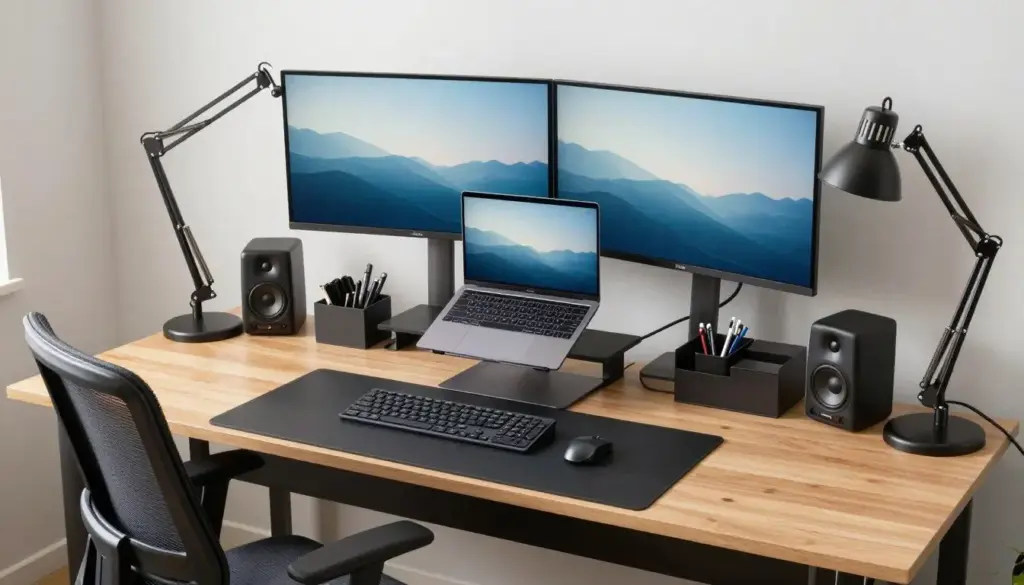
This setup prioritizes maximum efficiency and puts every productivity tool within reach. Organization and workflow optimization drive every decision.
Dual monitors on adjustable arms provide extensive screen real estate while maintaining desk space. A laptop on a stand creates a third screen, offering even more workspace for complex projects. The multi-screen setup allows constant visibility of email, calendar, active projects, and reference materials simultaneously.
The large desk provides extensive surface area for both digital and analog work. Documents spread out for review without covering the keyboard. Notebooks sit open for quick note-taking. The spacious design accommodates multiple workflows without forcing constant reorganization.
Organizational tools keep everything in its place. Pen holders prevent searching for writing instruments. Document trays sort papers by priority or project. Small organizers corral paper clips, sticky notes, and other small items that otherwise scatter across the desk.
The office chair features full ergonomic adjustments including lumbar support, armrest height and angle, seat depth, and recline tension. These precise adjustments allow customization to your exact body dimensions, reducing fatigue during long work sessions.
Quality computer speakers deliver clear audio for video calls, presentations, and background music. Unlike laptop speakers or cheap alternatives, these produce sound quality that makes hours of calls less fatiguing and music more enjoyable.
A wireless keyboard and mouse reduce cable clutter while providing flexibility in positioning. The freedom to adjust input device placement throughout the day helps prevent repetitive strain issues.
Visible cable management solutions demonstrate the attention to detail. Cables route through desk grommets, attach to cable trays underneath, and bundle with velcro ties. The result looks professional and prevents the cable tangles that plague many tech-heavy setups.
A filing system handles paper documents that still appear despite digital workflows. The accessibility of organized files prevents searching and maintains focus on actual work rather than document hunting.
The desk lamp features an adjustable arm that positions light exactly where needed throughout the day. As natural light changes or tasks shift from computer work to reading documents, the lamp adjusts accordingly.
This comprehensive approach suits professionals who juggle multiple projects, value efficiency, and spend long hours at their desk. The initial investment and setup time pay returns in reduced friction and increased productivity.
17. The Creative Energy: Orange and Purple Power
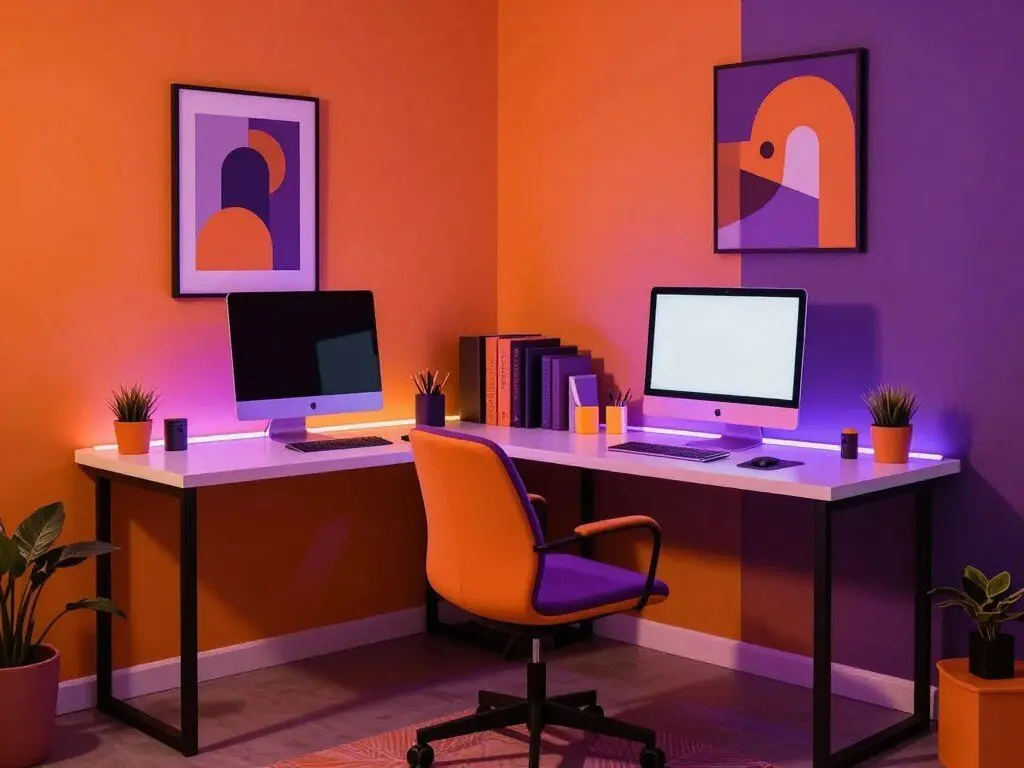
Color psychology suggests that orange stimulates creativity and enthusiasm while purple encourages imagination and ambition. This setup harnesses both, creating an energetic environment that fuels creative work.
The bold color scheme makes an immediate impression. An orange accent wall or purple feature wall dominates the space, setting an energetic tone. This approach works particularly well for creative professionals whose work benefits from an inspiring environment.
A modern desk in white or black provides visual balance against the bold wall colors. The neutral desk surface creates calm workspace for actual tasks while allowing the walls to energize the overall atmosphere. This balance prevents the room from feeling overwhelming.
The office chair picks up one of the bold colors, either orange or purple. This tie-in creates cohesion while adding a major color statement to the room. A colorful chair also makes the workspace feel playful rather than corporate.
RGB LED strip lighting adds another dimension to the color story. Programmable lights create purple and orange ambient glow that can change based on mood, time of day, or type of work. Morning might call for energizing orange, while evening creative sessions might benefit from contemplative purple.
Colorful desk accessories extend the theme to functional items. Orange organizers, purple mouse pads, or coordinating desk lamps turn practical necessities into design elements. This attention to detail creates a cohesive environment.
Modern artwork with complementary colors pulls the scheme together. The right art pieces can bridge orange and purple, incorporating both while adding additional accent colors that prevent the palette from feeling limited.
The overall atmosphere reminds some visitors of a creative studio or club lighting. This unconventional approach to home office design suits people in creative fields who find inspiration in bold aesthetics. The environment itself becomes a statement about the type of work that happens here.
This setup requires confidence in your color choices. Unlike neutral setups that appeal broadly, this bold approach reflects specific personality and work style. For the right person, the energetic environment enhances creativity and makes work genuinely exciting.
18. The Location Independent: Colombia Over California Rent
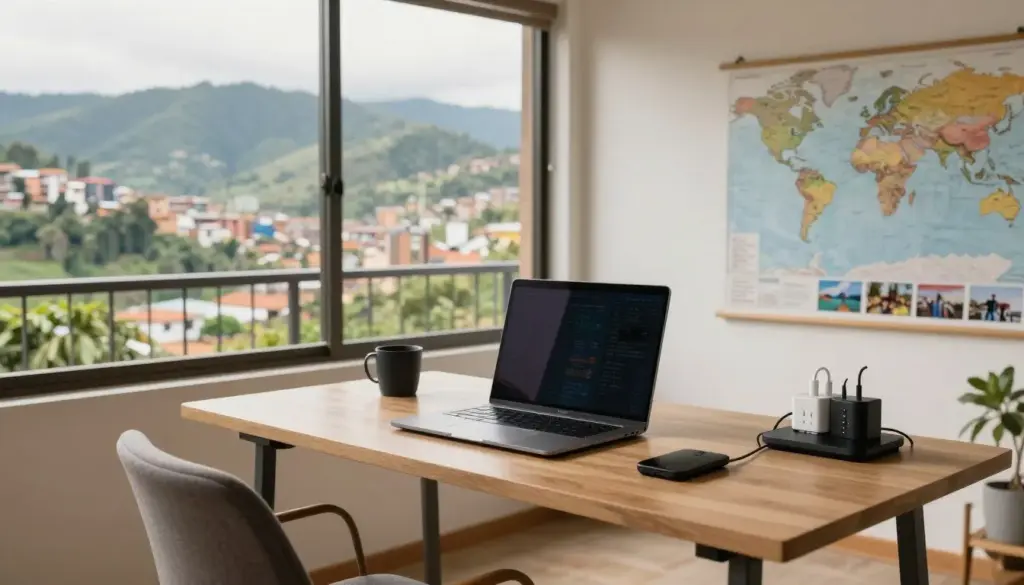
Some remote workers realized that location flexibility means more than choosing which room to work from. This setup represents the lifestyle choice of relocating to areas with lower cost of living and higher quality of life.
The workspace itself remains simple and portable. A laptop serves as the primary work tool, easily packable for the next destination. The desk might be a simple local purchase or even a repurposed table from the rental property. The focus stays on the work and the location rather than elaborate equipment.
Large windows or a balcony reveal the compelling reason for the location choice. Scenic views of Colombian cityscape, mountains, or coastline provide daily inspiration impossible to achieve in many higher-cost locations. The view becomes part of the workspace experience.
Minimal portable equipment defines the setup. Everything needs to fit in luggage for the eventual next move. A small portable standing desk converter, wireless keyboard and mouse, and perhaps noise-canceling headphones round out the essentials. The constraint forces prioritization of truly necessary items.
International power adapters sit visibly on the desk, evidence of the location-independent lifestyle. These small details remind you that work happens regardless of physical location, and staying connected requires some additional planning.
Evidence of the broader lifestyle appears in background details. A world map tracks previous locations and future destinations. Travel photos inspire the next adventure. These elements celebrate the freedom that remote work enables.
The math behind this choice often makes compelling sense. California rent for a small apartment might exceed comfortable living expenses in many international locations. The difference funds travel, savings, or improved daily quality of life. The workspace enables the lifestyle rather than existing separately from it.
This approach requires certain personality traits. Comfort with change, ability to adapt to new cultures, self-motivation without the structure of a fixed office, and willingness to solve problems independently all matter. For people with these characteristics, location independence transforms work from a constraint into an opportunity.
The setup proves that productive work doesn’t require expensive equipment or elaborate home office buildouts. A laptop, reliable internet, and the discipline to maintain work habits in inspiring locations can be enough.
19. The Dynamic Duo: Productive Office for Two
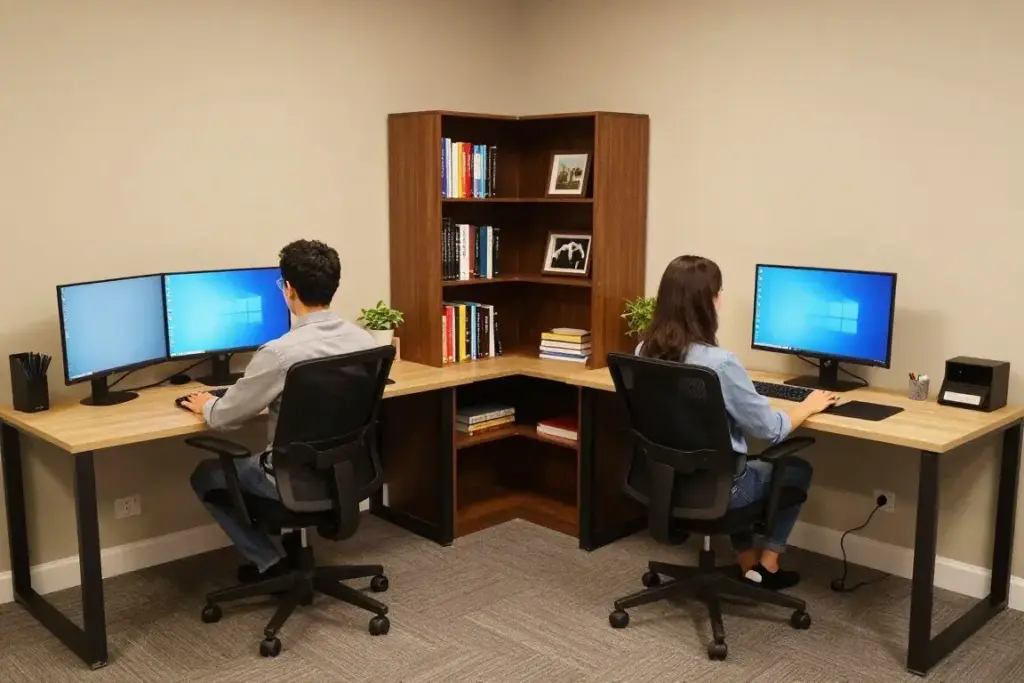
When two people work from home, the challenge multiplies. This setup shows how to create productive individual workspaces within a shared room.
Two separate desk areas provide dedicated space for each person. The configuration options include facing each other for collaboration or L-shape arrangement for independence. The choice depends on the type of work and personal preferences about interaction during the work day.
Individual office chairs acknowledge that ergonomic needs differ between people. Sharing a chair requires constant readjustment and compromises comfort. Dedicated chairs allow each person to optimize their workspace for their body dimensions and preferences.
Separate monitors or laptop setups prevent screen sharing conflicts. When both people need to join video calls simultaneously, individual screens become essential rather than optional. The investment in duplicate equipment pays immediate dividends in reduced friction.
Shared storage solutions like bookcases between the desks maximize space efficiency while providing access for both people. The middle ground location makes reference materials equally convenient without requiring duplicate purchases.
The design coordinates overall while allowing individualization. The color scheme flows throughout the room, but each person might choose their own desk accessories or personal touches. This balance creates harmony without forcing everyone into identical workspaces.
Adequate lighting for both work areas requires planning. One desk lamp won’t serve two people. Natural light positioning matters more when two people need good illumination. The solution might include individual desk lamps plus good overhead lighting.
Personal touches for each person prevent the room from feeling generic. Family photos, favorite plants, or chosen artwork help each person feel ownership of their space. These individual elements exist within the coordinated whole.
Organized cable management becomes more complex with multiple computer setups. Two sets of power cables, monitor cables, and peripherals can quickly create chaos. The solution requires dedicated management systems, possibly including separate cable trays for each workspace.
The harmonious color scheme ties the room together despite hosting two different work styles. This visual unity makes the shared space feel intentional rather than like two offices forced into one room.
This approach works well for couples, business partners, or roommates who all work remotely. The thoughtful design acknowledges individual needs while maximizing the shared space efficiently.
Creating Your Perfect Work From Home Setup
These nineteen setups demonstrate that there’s no single right answer to home office design. Your perfect workspace depends on your space constraints, budget, work style, and personal preferences.
Some themes emerge across successful setups regardless of specific style. Ergonomic basics matter. Adequate lighting prevents eye strain. Organization systems keep clutter under control. Personal touches make the space feel like yours rather than a generic office.
The budget spectrum ranges from DIY solutions using repurposed furniture to premium investments in high-end equipment. Both extremes can produce productive workspaces when approached thoughtfully. Money helps, but creativity and organization deliver results at any price point.
Space constraints challenge many remote workers. Small apartments, shared homes, and multipurpose rooms require creative solutions. Several setups showed how to carve out productive workspace in limited areas. The key lies in defining boundaries and creating systems that support both work and other uses of the space.
Your work type influences design priorities. Creative professionals might prioritize inspiration through color and art. Analytical workers might focus on multiple screens and organization systems. Customer-facing roles require good video call backgrounds and lighting. Let your actual work needs guide equipment choices.
The test of any workspace comes through daily use over time. Initial enthusiasm fades. The desk that looked beautiful in photos might cause back pain after a month. The colorful walls might become distracting. Build your workspace gradually, testing each element before committing fully.
Start with essentials. A proper desk at the right height. A chair that supports your back. Adequate lighting for your tasks. These fundamentals matter more than aesthetic choices. Add personality and refinement after establishing the functional foundation.
Your workspace will evolve. Work needs change. Design preferences shift. Technology updates. Build flexibility into your setup rather than creating something so perfect that modifications feel like failures. The best workspace grows with you.
The goal isn’t perfection. The goal is creating an environment where you can do your best work while maintaining physical comfort and mental well-being. If your workspace supports those objectives, you’ve succeeded regardless of how it compares to others.
Take inspiration from these examples, but build your own version. Your perfect home office exists at the intersection of your needs, constraints, and personality. Start today, improve gradually, and remember that every day working in a space you’ve intentionally designed beats another day at a makeshift corner of the kitchen table.
Ready to Build Your Dream Home Office?
You’ve explored nineteen inspiring setups spanning every style and budget. Now it’s time to create your own productive workspace. Whether you’re starting from scratch or upgrading an existing setup, these carefully curated collections will help you find exactly what you need to work comfortably and efficiently from home.